Clear instructions, practical checks and screenshots that show exactly where to click.
Table of Content⌄
SnapTik works through a modern browser, so you do not need a separate SnapTik application just to process a supported public TikTok link.
On current iPhone and iPad systems, Safari has built in file download support. The main thing to understand is that a browser download usually goes to the Files workflow first rather than automatically appearing in the Photos library.
Quick iPhone Method
Open the TikTok post.
Tap Share.
Choose Copy link.
Open SnapTik in Safari.
Paste the link.
Process the post.
Choose the available video, audio, photo or other download.
Open Safari downloads or the Files app to find the result.
Copy the TikTok Link on iPhone
Open the individual TikTok post.
Use the Share control and select Copy link.
If you receive a TikTok link through Messages, WhatsApp, email or another app, you can copy that link directly as long as it identifies the post.
A creator profile link is not enough because it does not identify one specific video or photo post.
Paste Into SnapTik
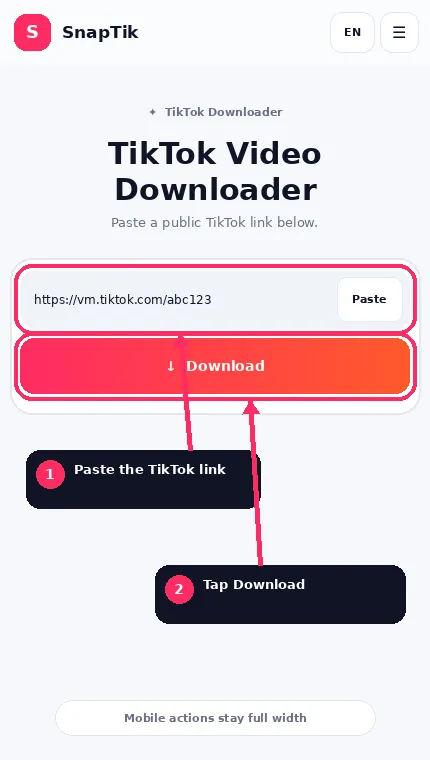
The mobile downloader keeps the input and action easy to reach.
Open SnapTik in Safari.
Tap the input field and paste the URL.
If your browser gives clipboard permission prompts, follow the browser controls.
Then choose Download.
Choose the Right Result
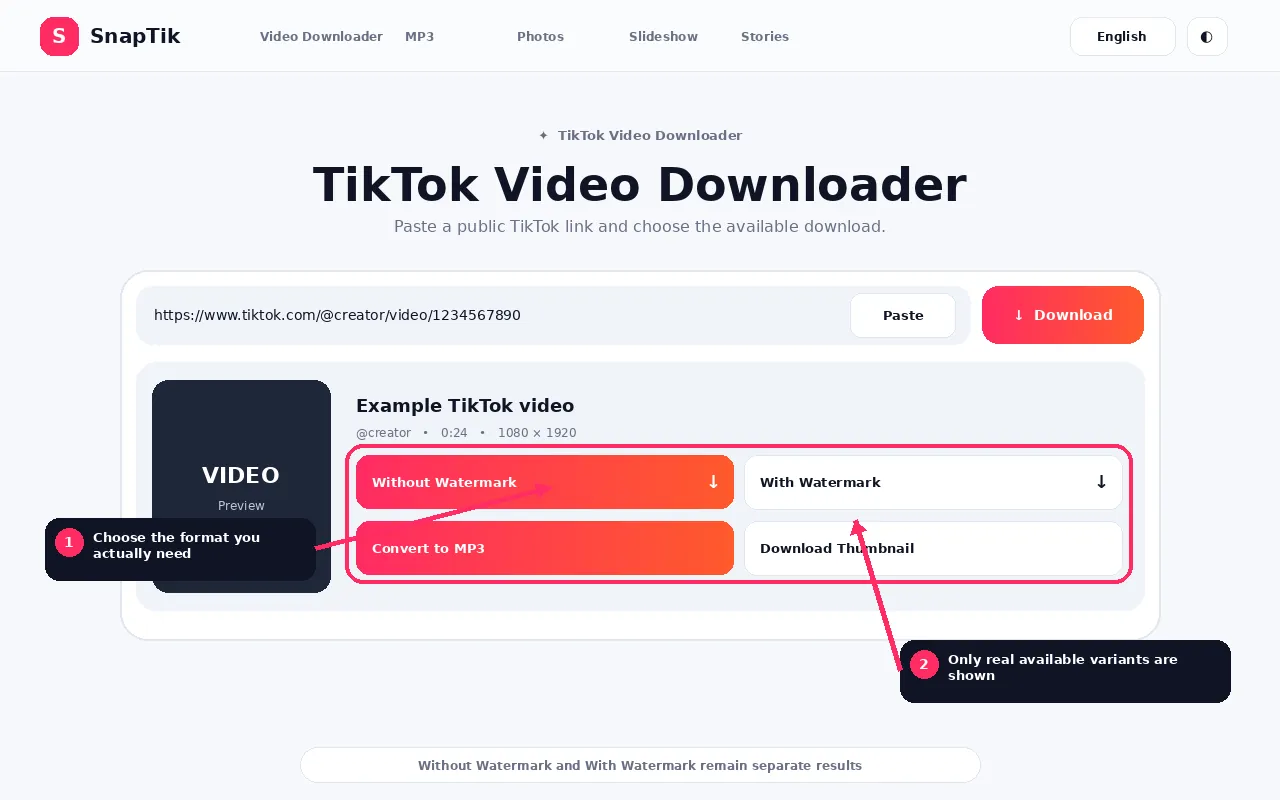
Choose only the media format you need. Unsupported variants stay hidden.
A normal video can return Without Watermark or With Watermark when those distinct sources are available.
Other post types can return source audio, MP3 conversion, photos, a ZIP containing photos, thumbnail or caption.
Do not expect every post to show every option.
Where Safari Saves SnapTik Downloads
Safari uses the download location configured on your device.
You can usually reach a recent download through Safari’s download control.
The file is also available through the Files app in the configured download folder.
Depending on your settings, that location can be under iCloud Drive or On My iPhone.
If you changed the Safari download destination previously, use that configured folder rather than assuming every device saves to the same place.
How to Move a Downloaded TikTok Video to Photos
A downloaded MP4 can remain in Files.
If you want it in Photos:
Open Files.
Find the video.
Open or select it.
Use the share menu.
Choose the available save to Photos or save video action when iOS offers it.
If the action is not available, the file may use a format that Photos does not accept directly, or another device restriction may apply.
TikTok MP3 on iPhone
An MP3 downloaded in Safari normally remains a regular file.
It does not automatically become a track inside Apple Music.
You can play it from Files or open it in another compatible audio app.
Individual JPG downloads normally go to Files first.
Open the image and use the iOS share options if you want a copy in Photos.
For a ZIP containing several TikTok images, find the ZIP in Files, extract it, open the resulting folder and save the images you need.
Do I Need Documents by Readdle or Another File Manager?
Not for the normal browser download workflow on modern iPhone and iPad systems.
Older downloader instructions on the web often recommend third party file managers because earlier iOS versions had more limited direct download behavior.
SnapTik is designed around the browser and Files support available on current systems.
You can still use another file manager if you personally prefer it, but the downloader does not require one.
Why the Video Does Not Appear in Photos Automatically
Safari downloaded a file, not a Photos library item.
These are different storage workflows.
Check Files first.
If you want the video in Photos, move or save it from Files after the download.
Safari Says the Download Failed
Possible causes include an expired SnapTik session, an expired media source, a network change during download, insufficient storage or a remote media server problem.
Process the TikTok URL again to generate a fresh short lived download session.
The Download Opens in a New Tab
Browser and media handling can differ depending on the returned headers and the current iOS or browser behavior.
If a media file opens for playback rather than saving, use the available Safari share or download controls.
SnapTik sends download headers, but the final browser behavior is controlled by the device software.
Using Chrome or Another Browser on iPhone
SnapTik can work in other modern iOS browsers, but file handling can look different.
If you are troubleshooting, Safari is a useful baseline because it is tightly integrated with Files.
Private TikTok Videos on iPhone
Using an iPhone does not change the privacy rule.
SnapTik does not use your logged in TikTok app session to extract private media.
If the post is not publicly accessible to the downloader, it may not be resolvable.
iPhone and iPad FAQs
Does SnapTik work on iPhone?
Yes, for supported public media through a modern browser.
Do I need an app?
No separate SnapTik app is required.
Where is my downloaded video?
Check Safari downloads and the Files app.
Why is the video not in Photos?
Browser downloads normally go to Files first. Save or move the compatible file to Photos afterward.
Can I download TikTok MP3 on iPhone?
Yes, when SnapTik can provide or create the audio file. The MP3 remains a normal file and does not automatically join Apple Music.
Can I download all slideshow photos?
Yes, when SnapTik returns the images and the server has ZIP support. Extract the ZIP in Files.
Can I download a private TikTok from my logged in app?
SnapTik does not use private app credentials or bypass privacy controls.
Why did my download expire?
SnapTik download sessions are intentionally temporary. Process the public link again for a fresh download.