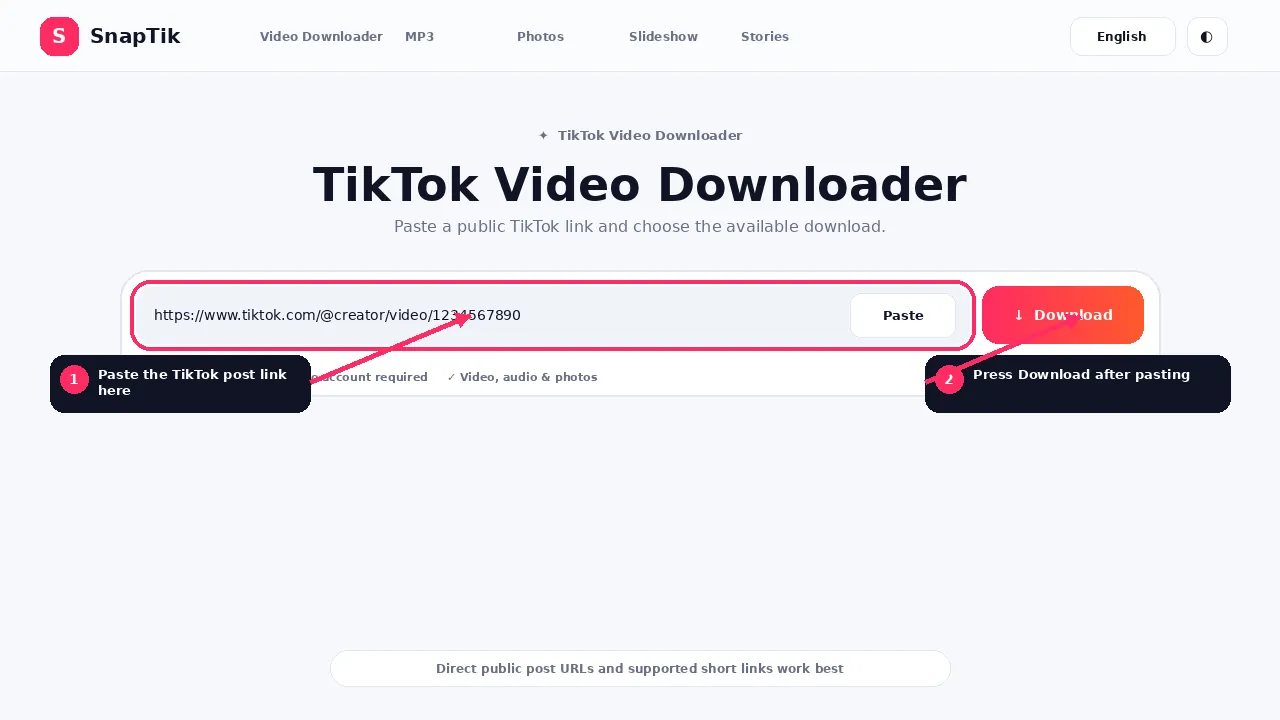
Klare Anweisungen, praktische Prüfungen und Screenshots zeigen genau, wo du klicken musst.
Inhaltsverzeichnis⌄
The simplest SnapTik workflow is copy, paste and choose the available download.
This guide explains each step and also covers the points that usually cause confusion: which link to copy, what the watermark buttons mean, where the file is saved and what to do when a post cannot be processed.
Quick Method
Open the public TikTok post.
Choose Share.
Select Copy link.
Open SnapTik.
Paste the URL into the downloader.
Choose Download.
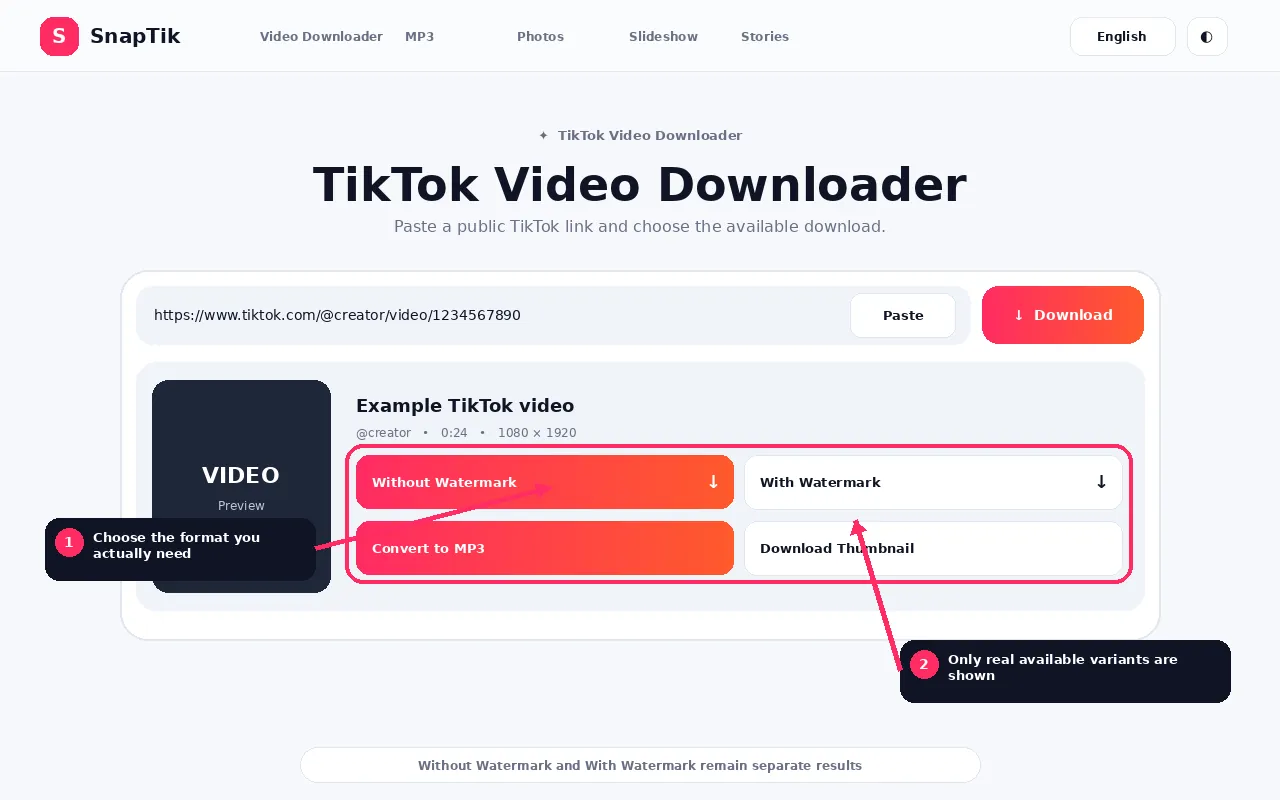
Select Without Watermark, With Watermark or another available media action.
Step 1: Open the Exact TikTok Post
A downloader needs the link to the individual post.
A profile URL such as a creator account page is not the same as a video URL. A profile can contain many posts, so it does not identify the exact media you want.
Open the video, photo post, slideshow or Story first.
Step 2: Copy the TikTok Link
In the TikTok app, choose Share and then Copy link.
On desktop, open the individual post and copy the URL from the address bar.
TikTok can also provide short sharing URLs. SnapTik can resolve supported short links to the final post.
If the copied text contains extra words around the link, paste only the URL when possible.
SnapTik validates the URL and uses the downloader to look for public media.
This step can be very quick, but it can take longer when a short URL has to be resolved, the first download option fails, a fallback path is used or the remote platform responds slowly.
SnapTik uses download option health and cooldown logic so repeatedly failing download options do not have to block every request.
Step 5: Choose the Right Download
Ohne Wasserzeichen • Mit Wasserzeichen • In MP3 umwandeln
Without Watermark
Choose this when SnapTik returns a clean video source.
With Watermark
Choose this when you want the separate watermarked copy and it is genuinely available.
Download Audio
Choose the source audio when the post exposes a separate audio stream.
Convert to MP3
Choose this when the MP3 conversion is available and you want a real MP3 conversion.
Download Photos
Use the image actions for photo posts or slideshows.
Download Thumbnail
Use this when you need the cover image rather than the complete video.
Copy Caption
Use this for the caption text returned with the post metadata.
How to Download on iPhone or iPad
Copy the TikTok link, open SnapTik in Safari, paste the URL and choose the available file.
After the download, check Safari downloads and the Files app.
The exact folder depends on your Safari download setting.
If a compatible MP4 is in Files and you want it in Photos, open the file and use the relevant save or share action.
Open TikTok in the browser or copy the link from another device.
Paste it into SnapTik and choose the available media.
Unless you changed browser settings, Windows browsers commonly save files to Downloads.
How to Download on Mac
Use Safari, Chrome, Firefox or another modern browser.
Process the public TikTok URL and choose the download.
Check the browser download list and your Downloads folder.
Which TikTok Links Work?
The ideal input points directly to one public post.
A link can fail if it points to an account profile, a search result, a hashtag page, deleted media, private media, login restricted content or an unsupported post type.
SnapTik does not ask for your TikTok password to work around those restrictions.
What If I Want No Watermark?
Use Without Watermark when that button is returned.
The button represents an available clean media source. SnapTik does not claim to erase a watermark from every possible TikTok video.
If no clean source can be retrieved, the option may be unavailable.
What If I Want the Watermark?
Choose With Watermark when the downloader returns a genuine separate watermarked source.
If the active result does not include one, SnapTik keeps the option hidden rather than pointing the button to the same clean file.