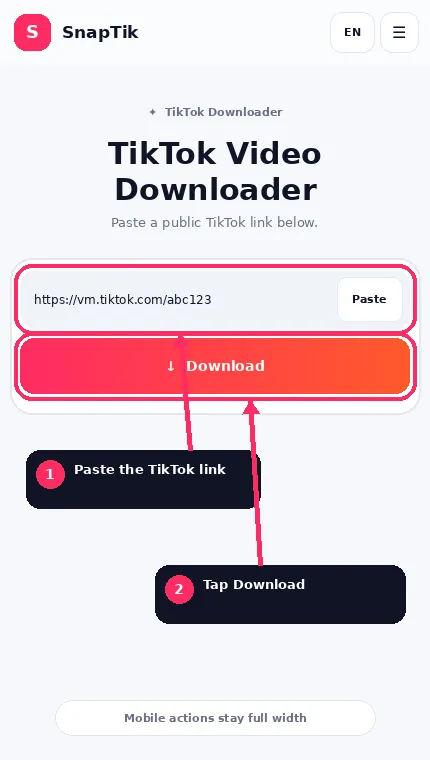
The safest input is the direct link to the individual post.
If you copied the URL from a message or another application, confirm that it still opens the exact TikTok post.
Profile pages, search results and hashtag pages do not identify one media item.
Download Without Watermark on Android
Pegar → Descargar
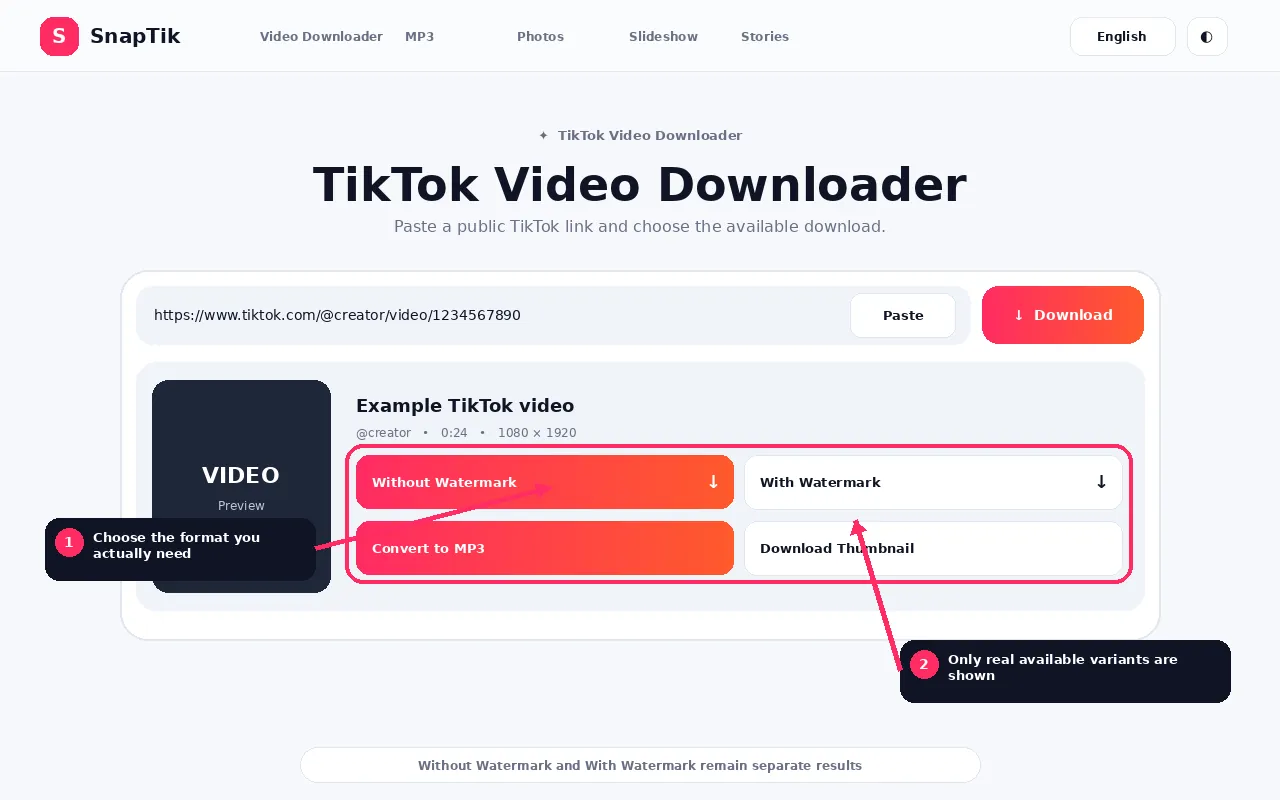
If SnapTik retrieves a compatible clean video source, the result shows Without Watermark.
Tap the button and allow the browser to save the file.
SnapTik does not guarantee a clean source for every possible post.
Download With Watermark on Android
When a separate watermarked media source is available, the results also show With Watermark.
If no genuine second source exists, the downloader does not duplicate the clean file under a different label.
Download TikTok MP3 on Android
Use the MP3 action when it is available.
A real MP3 option appears only when SnapTik can convert the available media.
If only source audio is available, you can download that audio in its returned format instead.
Download TikTok Photos on Android
Photo posts can return individual images.
When the Download All is available, Download All Photos packages the returned images into one ZIP file.
Use your phone file manager to extract the ZIP.
Where Android Saves SnapTik Files
Sin marca de agua • Con marca de agua • Convertir a MP3
The exact interface differs between phone manufacturers and browsers, but common locations include the Downloads folder, Files by Google or another file manager, Chrome Downloads and manufacturer file applications.
Compatible images and videos can later appear in Gallery or Photos after Android media indexing.
Video Downloaded but Is Not in Gallery
First check the actual Downloads folder.
A file can exist successfully before the gallery application notices it.
If the MP4 plays from Files but does not appear in Gallery, the issue is likely media indexing or app behavior rather than SnapTik extraction.
Browser Asks for Storage Permission
Modern Android versions and browsers manage storage permissions differently.
Follow the browser or system prompt.
SnapTik itself does not need access to all files on your phone. The browser is responsible for saving the downloaded file.
Download Stuck or Failed
Check the internet connection, available storage, browser download history, whether the TikTok post still opens publicly and whether the SnapTik result session has expired.
If necessary, process the public link again to generate a fresh session.
Using Samsung Internet, Firefox or Other Browsers
SnapTik is not tied to Chrome.
However, download menus and save locations can differ.
When troubleshooting, check the specific browser Downloads section before assuming the file was not saved.
Embedded Browsers Inside Other Apps
Some social, email and messaging applications open links in a small embedded browser.
Those browsers can have restricted download behavior.
If a download button behaves strangely, open SnapTik in your main browser instead.
Android Security and APK Files
The SnapTik web downloader does not require an APK for normal use.
Avoid installing unrelated APK files simply because another website claims they are necessary to save a TikTok video.
If SnapTik ever offers an official application in the future, it should have a clearly identified official distribution method. The web tool should not direct users toward unknown packages.
Android Browser and Storage Details
Android manufacturers can customize the file manager and browser behavior, so the exact screen can differ between Samsung, Pixel, Xiaomi and other devices. Chrome normally records completed transfers in its Downloads list even when the file manager presents them under a different folder name.
If a video downloads but does not immediately appear in Gallery, open the file once from Downloads. Some gallery applications index new media on their own schedule. Moving the file into a media folder can also make it easier to find.
When Android asks for permission
Modern browsers usually manage downloads through their own storage permissions. Grant only the permission required for the download task. SnapTik does not need access to contacts, messages or unrelated device data.
Android FAQs
Does SnapTik work on Android?
Yes, through supported modern browsers.
Do I need to install an APK?
No APK is required for the browser based downloader.
Where is my download?
Check the Downloads folder, file manager and browser download history.
Why is the video missing from Gallery?
The file may not have been indexed by the gallery app yet. Check Files first.
Can I download MP3?
Yes, when a compatible source and server conversion support are available.
Can I download TikTok photos?
Yes, for supported photo posts.
Can I download private TikTok posts?
No. SnapTik does not bypass privacy controls.
Why did the download link expire?
SnapTik creates temporary signed sessions. Process the post again to create a new one.