
Table des matières⌄
SnapTik works best when you paste the URL of the exact public TikTok post you want to process.
This guide shows where to get that link and how to tell the difference between a useful post URL and a profile or search page.
Copy a TikTok Link on iPhone
- Open TikTok.
- Open the individual video or post.
- Tap Share.
- Choose Copy link.
- Open SnapTik in Safari.
- Paste the copied URL.
Copy a TikTok Link on Android
- Open the individual TikTok post.
- Tap Share.
- Select Copy link.
- Open SnapTik in your browser.
- Paste the URL.
Copy a TikTok Link on Desktop
Open the specific TikTok post in your browser.
You can use the TikTok share controls or copy the URL directly from the address bar.
Make sure the browser is showing the post itself.
Full TikTok URL vs Short Link
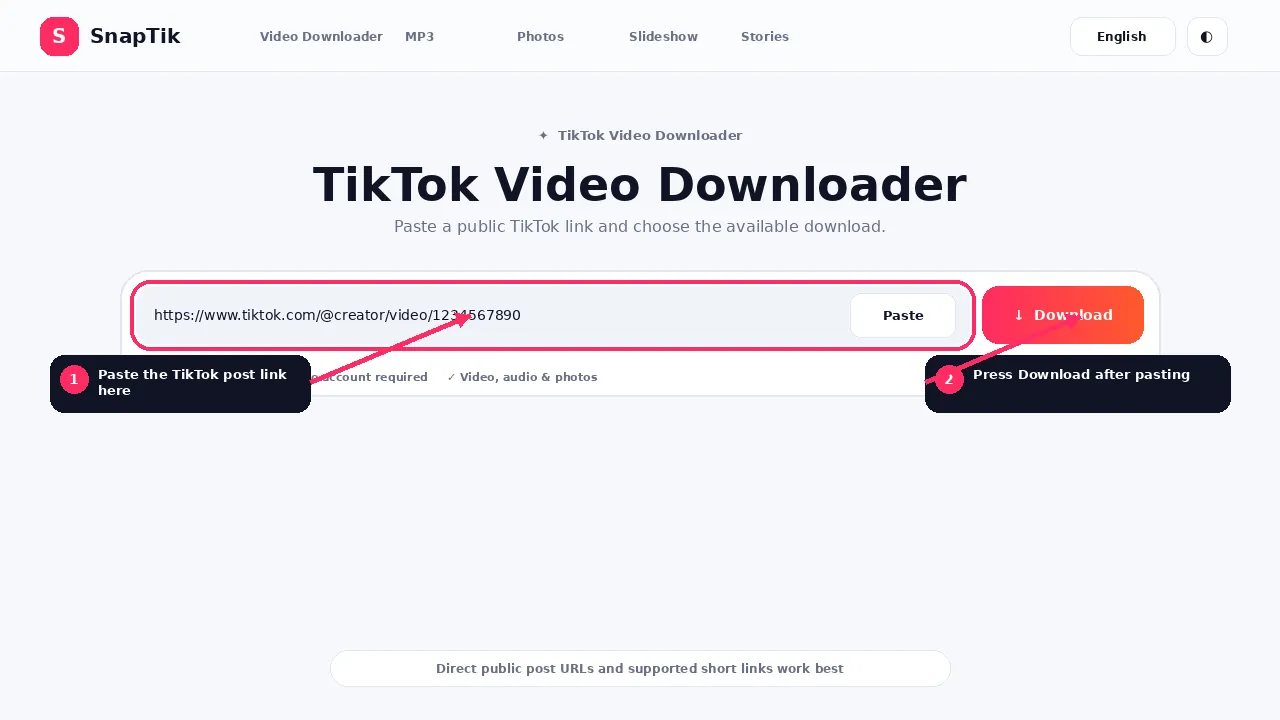
TikTok can provide different link formats.
A full post URL can identify the creator and post in the address.
A short sharing URL can redirect to that final post.
SnapTik can resolve supported short links before processing the media.
What a Valid Input Should Do
A useful link should ultimately open one specific public TikTok post.
That can be a video, a photo post, a slideshow or an active Story when a direct Story link is available.
The URL does not need to contain the words “video downloader” or any SnapTik keyword.
It only needs to identify the media post.
Profile Links Are Different
A creator profile is a collection of posts.
If you paste only a profile URL, the downloader does not know which video or image set you intended to save.
Open the target post first, then copy its link.
Hashtag and Search Links
Hashtag and search pages are browsing pages, not individual media items.
SnapTik is not designed to scrape every video from a hashtag or search result.
Copy the specific post URL instead.
Copying a Link From a Message
If someone sends you a TikTok URL through WhatsApp, Messenger, email or another application, you can paste that URL into SnapTik if it identifies a supported public post.
Be careful not to copy surrounding sentence text when possible.
Copying a Photo Post Link
Open the photo post and use the same Share and Copy link process.
Then use TikTok Photo Downloader or the universal homepage tool.
Copying a Slideshow Link
Open the slideshow post and copy its direct link.
Use TikTok Slideshow Downloader when you want the images or audio.
Copying a Story Link
Story sharing options can differ from ordinary posts.
If TikTok provides a direct public Story share link, copy that link while the Story is still active.
An expired Story link may stop working later.
What If the Link Has Tracking Parameters?
Additional query parameters can sometimes be attached to shared URLs.
SnapTik extracts and validates the URL before processing.
The critical part is that the link resolves to a supported public post.
Why a Copied Link Can Stop Working
A valid URL can later fail if the post is deleted, the creator changes privacy, a Story expires, the link requires authentication or TikTok changes redirect behavior.
Having the old URL does not guarantee permanent access to the media.
Full Links, Short Links and Redirects
TikTok commonly shares both complete post URLs and short redirect links. A short link can be convenient in messages, but the downloader may need to follow one or more redirects before it reaches the final post address.
That is why the visible URL can change during processing. The important part is that the final destination identifies one public media post. A creator profile or search page still does not become a direct media link simply because it came from TikTok.
How to Check a Link Before Pasting
Open the copied link in a normal browser tab. If it lands directly on the intended public post, it is usually a better input than text copied from a caption, comments or a profile biography.
Watch for extra punctuation when a URL was copied from a sentence. A trailing bracket, quotation mark or period can turn an otherwise correct address into an invalid request.
Links copied from messaging apps
Messaging apps can wrap URLs in their own preview or tracking interface. If SnapTik rejects a link copied from a conversation, open it first, wait for TikTok to load the intended post and then copy the final post address from the browser or TikTok share menu.
Link FAQs
Can I paste a TikTok short link?
Supported short links can be resolved to the final post.
Can I paste a creator profile?
No. Open the specific post first.
Can I paste a hashtag page?
No. SnapTik processes individual supported post links.
Can I copy the link from a private post?
You may be able to copy a URL, but SnapTik does not bypass the privacy restriction.
Can I use a link someone sent me?
Yes, if it resolves to a supported public post.
Why does my old link no longer work?
The post may have been removed, made private or expired.